


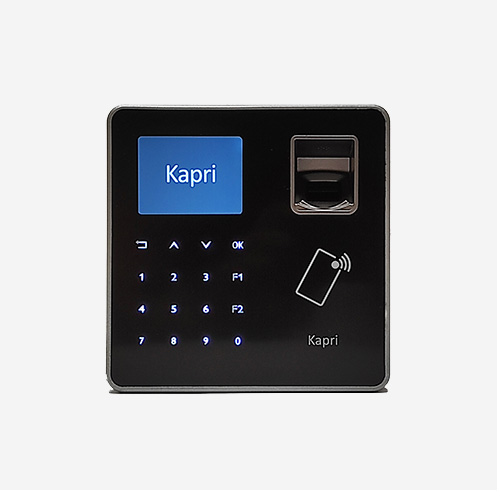

3 Relays and 4 Digital Inputs
Kapri Online Bio includes 3 relays to activate electric locks, turnstiles, barriers, alarms or other devices.
The device has 4 digital inputs to monitor the status of door sensors, limit switch sensors, etc.
The device is equipped with an Anti-Tamper Sensor.
Ethernet Connection and Wifi Option
The device is connected via Ethernet and communication with the application always takes place via the exchange of JSON objects. It is easy to integrate regardless of the programming language or operating system you use.
Kapri Online Bio is available in a Wifi version.
CLOUD Protocol: Cloud Direct Connectivity
This is the most suitable option for extranet web applications. In these environments, and often for safety concerns, only the devices can initiate contact, as the cloud-based software is often not permitted to initiate contact with the devices. Kapri Online Bio initiates communications, and when an event occurs, such as a card being read, it sends a POST command to the cloud application/API Server. The application then sends a set of commands to be executed by the terminal, such as displaying messages on the screen and activating relays to allow access.
Cloud Protocol Characteristics:
– Kapri initiates all communications.
– Communications are secure when the cloud uses the https protocol.
– No installation of drivers, .DLLs, services, etc. required.
– Easy installation. It does not have to be installed locally.
For more information, please check the Kapri CLOUD tab.
Other protocols for working within the LAN
Kapri Online Bio offers the following communication protocols:
* For more information, see the Communication Protocols Tab.
Options: Mifare/Desfire Card Reader and BLE Reader
As an option, a 125kHz RFID reader or a Mifare/Desfire Card Reader (which allows reading the UID and memory sectors of the card) can be added.
The BLE option allows users to identify themselves by means of a high-security virtual card on their mobile phone.
Integration Module
Kimaldi Kapri Bio is available in an integration module finish for installation on turnstiles, barriers and gates.


